






Free Aura Player with 12M & 24M PlansClaim 24h Free Trial →
GalaxyIPTV Intergalactic 4K
Smart TV Heavyweight • Samsung, LG & Android TV Specialist
DuoCast Player Logo

DUOCAST PLAYER

Formerly known across the community as Duplex Pro (now officially listed as DuoCast IPTV Player). Renowned for its ultra-lightweight architecture, instantaneous channel switching, and flawless performance on Samsung Smart TVs, LG webOS, and Android TV streaming devices.

Supported Platforms & Devices
Samsung Smart TV (Tizen 2016+) LG webOS Smart TV Android TV / Google TV Amazon Fire TV 4K Android Phones & Tablets
Direct Downloads & Store Links
Android TV / Firestick (9812319)Android Mobile APK
Firestick / Android TV Downloader9812319
ACTIVATE YOUR DUOCAST ACCOUNT IMMEDIATELY
Step-by-Step 4K Remote Setup
Authentic 4K Smart TV Experience

DuoCast Player in Action with GalaxyIPTV

Notice the crisp electric blue UI running seamlessly on a 4K television with complete GalaxyIPTV channel categories, movies, and TV series.
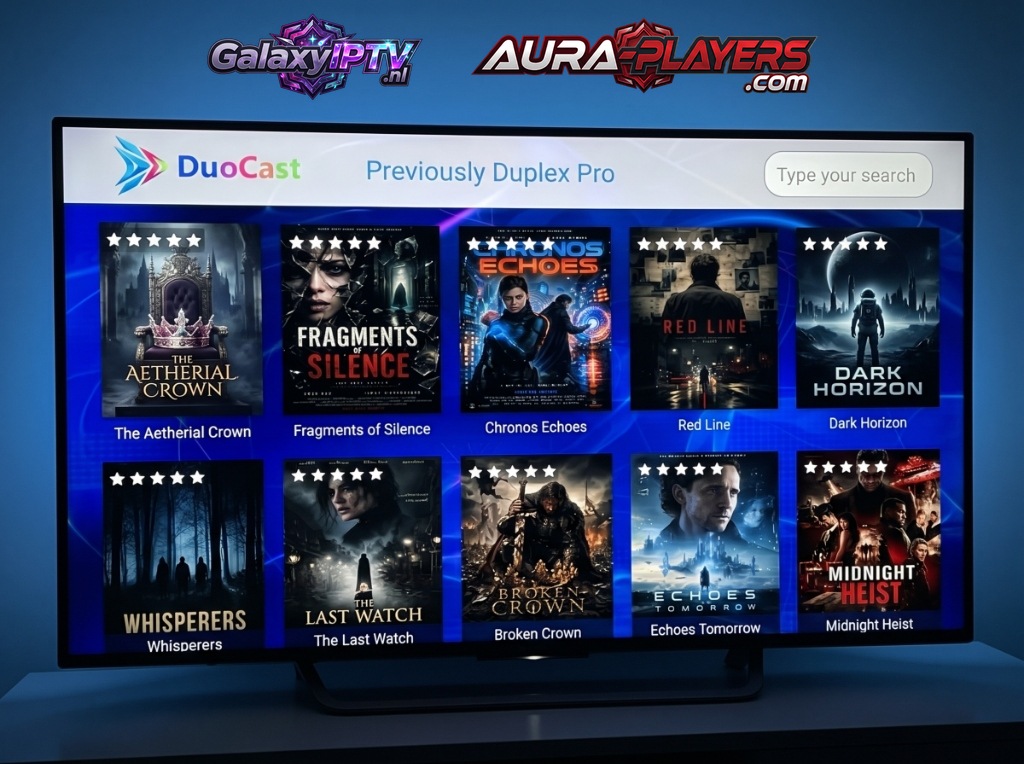
DuoCast Player running live on a 4K Smart TV showing GalaxyIPTV playlist
Live Channels25,600+ Streams
VOD Movies163,000+ Titles
VOD Series62,000+ Episodes
Playlist SyncGalaxyIPTV Active

Why DuoCast Player (Duplex Pro) Is a Smart TV Essential

Smart TVs with built-in processors often struggle with bloated media apps. DuoCast Player eliminates sluggish navigation with a streamlined C++ core designed specifically for lightweight Tizen and webOS environments.

Optimized for Television Hardware

Minimal RAM consumption ensures that 4K 60fps streams decode smoothly without memory crashes or buffering, even on older 4K Smart TVs.

  • Sub-second channel switching on Samsung Tizen & LG webOS
  • Dynamic timeline EPG guide with catch-up controls
  • Custom channel number remapping to match regional cable layouts
  • Reliable low-latency MPEG-TS and HLS stream decoding
  • Direct Downloader shortcode 9812319 for 1-click Firestick setup
Official Certified IPTV Player
DuoCast Player Official Logo

DUOCAST PLAYER

Smart TV & Android Heavyweight Engine

Footprint<20MB Ultra-Light
Resolution4K HDR
TuningTizen & webOS
Complete Cross-Platform Ecosystem
Samsung TV LG webOS Android TV Firestick Android Mobile
Easy Remote Configuration

How to Setup DuoCast Player in 3 Easy Steps

Follow our 3-step setup guide below to install, note your codes, and connect your GalaxyIPTV lineup in minutes.

1

Install DuoCast

Search for "DuoCast" in your Samsung Apps or LG Content Store. On Android TV or Firestick, enter code 9812319 in Downloader.
2
0/7
0/7
FILL IN THE DATA FROM YOUR APP

Activate Your License

Launch the app to reveal your unique Device ID and Device PIN. Enter it on www.aura-players.com or send it directly to our technical flight crew via WhatsApp, after entering the player DEVICE ID and DEVICE PIN above first!

3

Enjoy All of Your Content in 4K UHD

Enjoy infinite channels, movies, and series with zero buffering and lightning-fast zapping. Once your Device ID and Device PIN are received, our flight crew remotely injects your complete 25,000+ channel lineup and 160,000+ VOD catalog within 2 minutes. Sit back, relax, and stream premium sports and entertainment!

FILLED IN THE DEVICE ID AND DEVICE PIN

Explore Other Compatible Players

Galaxy IPTV supports a complete suite of verified players including IBO ONE, Aura Player, ORA PRO, and Gravity Player.